/
Change your Agent's username
Change your Agent's username
By Hedi El Goulli (Unlicensed)
May 24, 2021
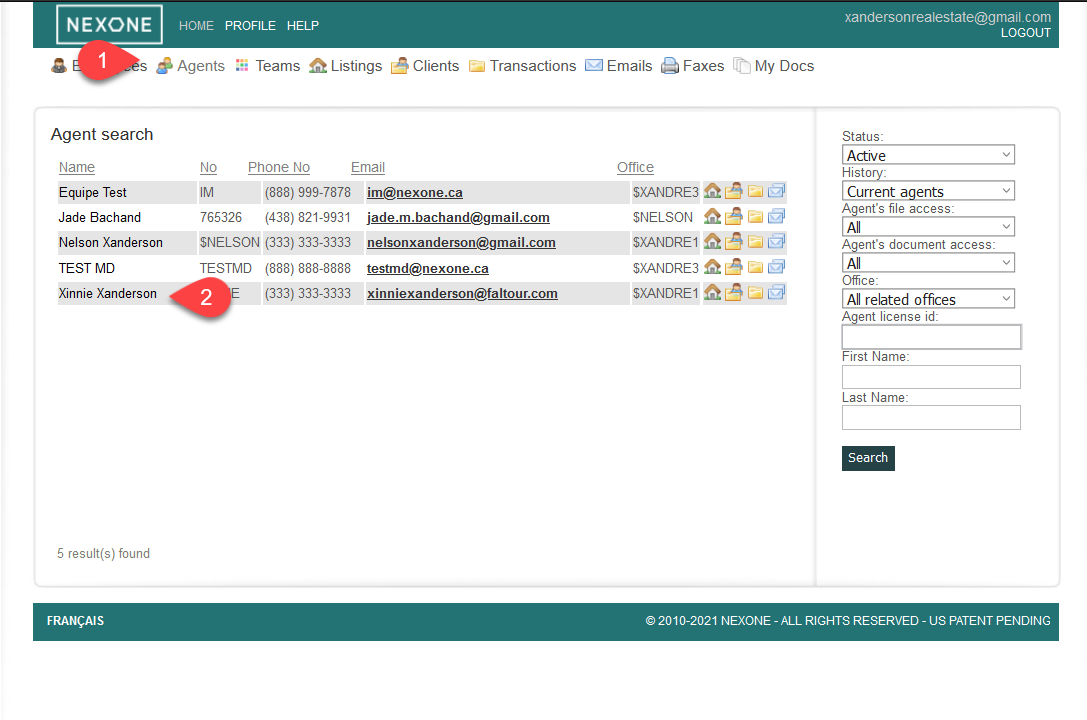
1- Click on the “Agents” tab to search for an Agent
2- Select your Agent by clicking on his name
 a
a
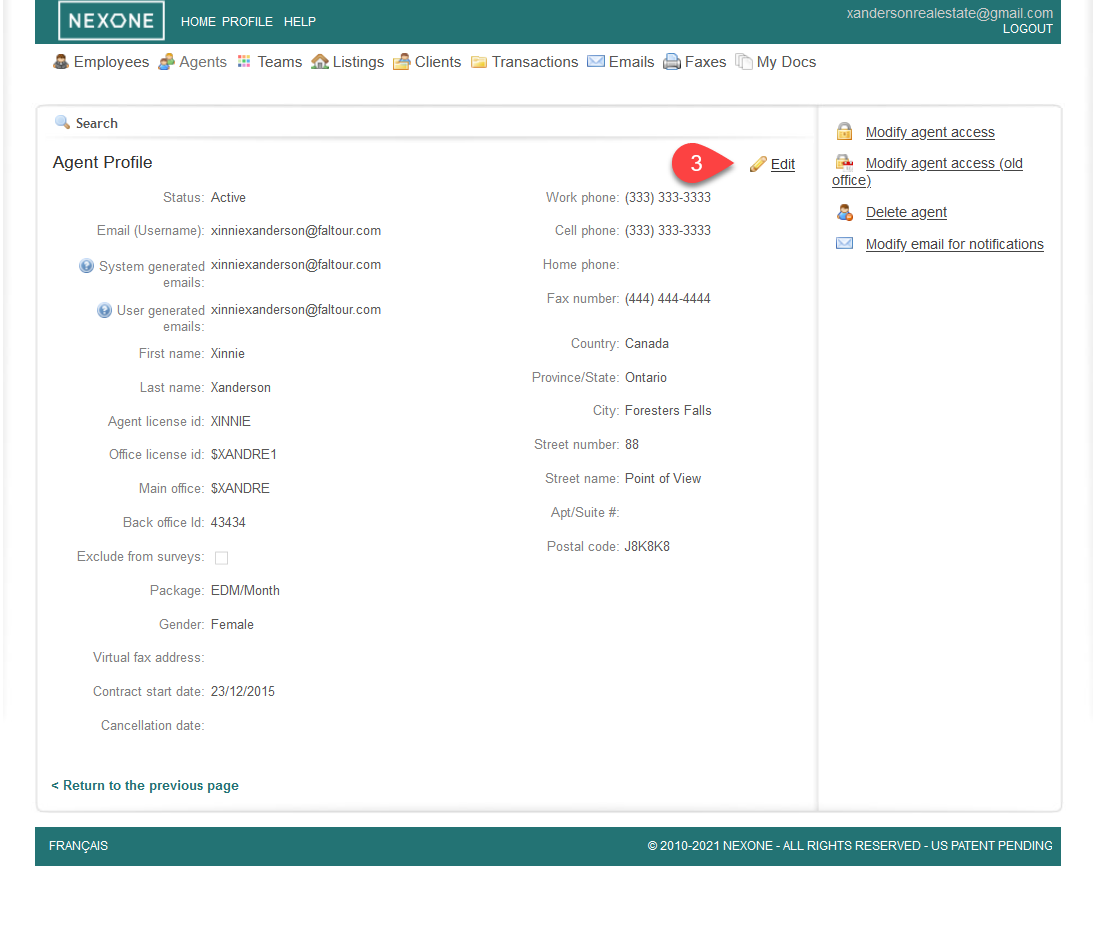
3- Click on “Edit” on your right hand
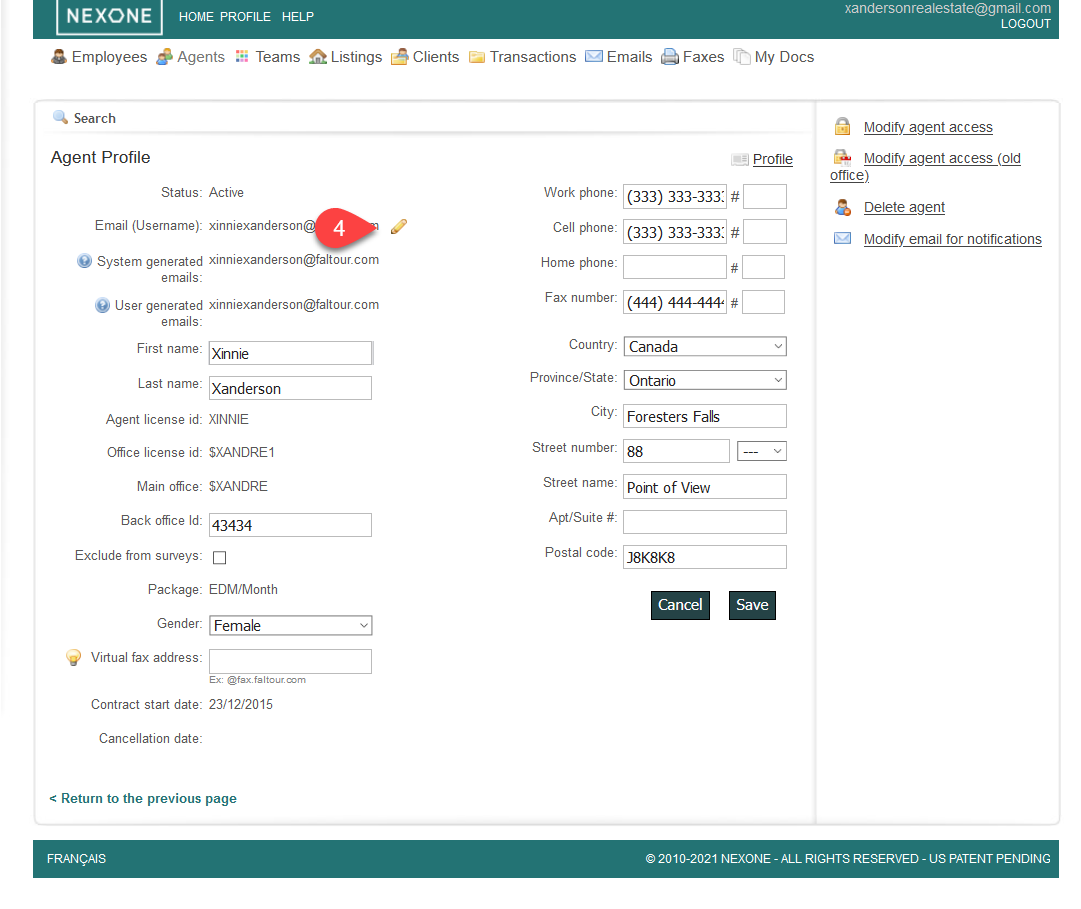
- Click on the yellow pen in order to edit the username
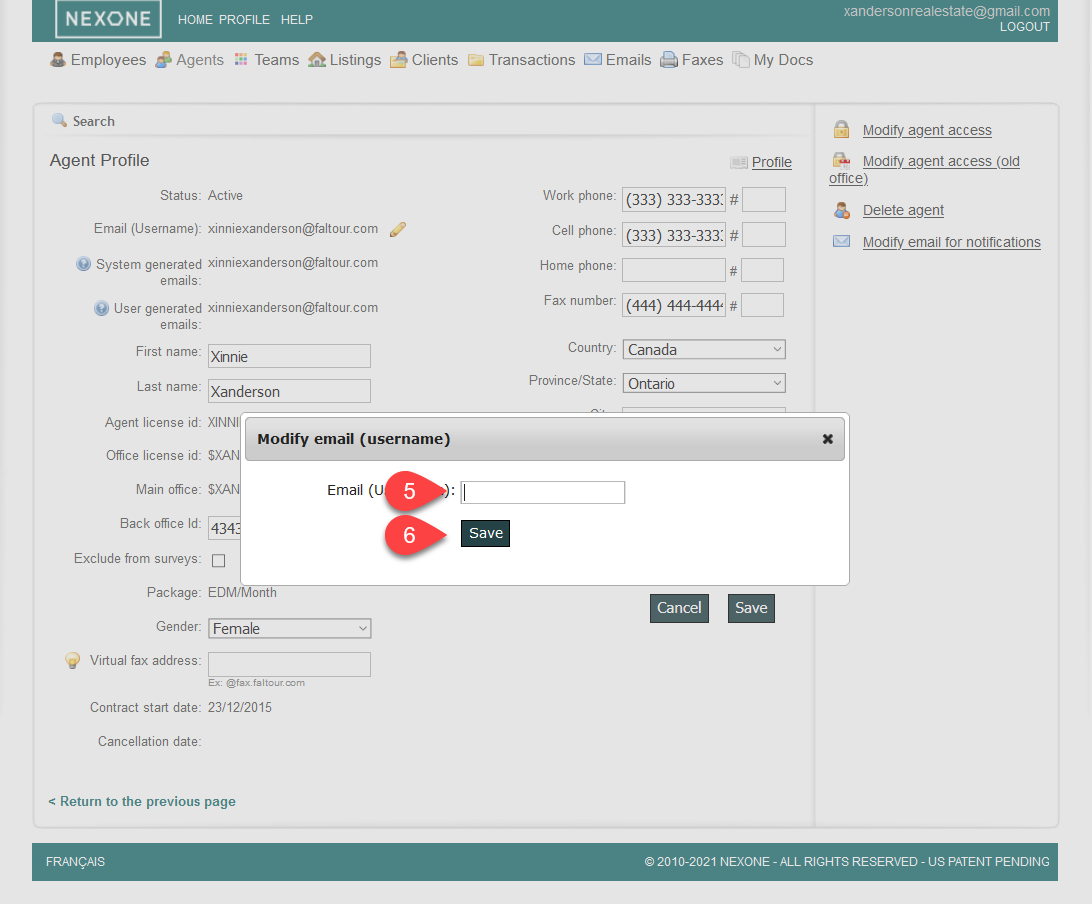
5- A small pop-up will appear with a box to write your new username information
6- Click on the “Save” button just below
, multiple selections available,
Related content
How to update the email address of an agent as an admin
How to update the email address of an agent as an admin
More like this
How to create a new agent profile
How to create a new agent profile
More like this
How to Delete an Agent From the Roaster
How to Delete an Agent From the Roaster
More like this
Adding New Agents to a Team
Adding New Agents to a Team
More like this
How to Add an Agent to a Transaction
How to Add an Agent to a Transaction
More like this
How to add an unlisted Agent that belongs to your Brokerage (if the search bar drop-down is not working)
How to add an unlisted Agent that belongs to your Brokerage (if the search bar drop-down is not working)
More like this